Before a normally functioning server fails completely, there are usually signs of deterioration. Disk usage steadily climbs, memory usage starts fluctuating unexpectedly, scheduled backups no longer finish successfully, or an application begins responding more slowly than usual.
Such issues may escape detection for weeks at a time, especially when staff have demanding workloads and IT personnel are dealing with higher-priority requests.
The problem behind a customer-facing outage may have been present for some time before customers encounter it. Recognizing symptoms early can help businesses that operate customer portals, databases, websites, and internal applications address small technical faults before they cause costly interruptions.
The Problem With Waiting for Server Failure
Imagine an online retailer getting ready for its biggest sales weekend. Application logs have been growing unexpectedly quickly, steadily reducing available server disk space. Visitors to the site would still see normal operation.
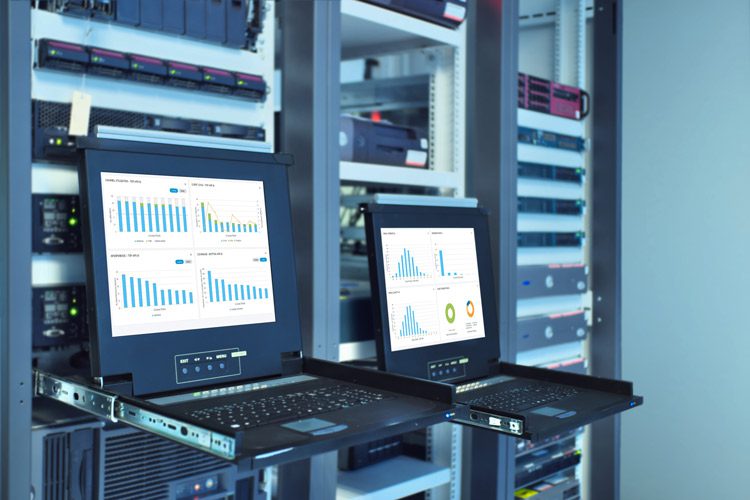
A busy traffic period could coincide with the server running out of disk space if the issue remains unaddressed. Effective server monitoring services help identify conditions such as rising disk usage, unusual resource consumption, service failures, and network connectivity problems.
A technical problem is not fixed merely because a monitoring system has identified it. Appropriately configured thresholds must be supported by well-defined escalation processes and technicians able to investigate the cause. Knowing how to respond is what makes a notification useful.
Why Server Maintenance Goes Beyond Updates
Ongoing maintenance is important for operating systems, databases, control panels, and application services. Before security patches are deployed, administrators should evaluate them and choose suitable maintenance windows. Document configuration adjustments and examine performance patterns before available capacity becomes insufficient.
Rather than managing each technical duty in isolation, reliable server management services bring the responsibilities under a unified approach. Installing updates may create problems if application compatibility has not been checked. Reviewing dependencies, planning changes, and arranging recovery options are steps experienced administrators take before making changes that could disrupt operations. The backup process should receive a similar level of care. The ability to recover backed-up data is not necessarily demonstrated by a message reporting backup success. To confirm that recovery processes are functional, carry out periodic restoration tests.
Why Server Administration Differs Between Environments
A dedicated server supporting an e-commerce platform has distinct operating needs from a cloud-based development environment.
Managing virtual private servers, Windows systems, Linux machines, and hybrid infrastructure calls for different administrative practices. The operating systems, applications, security requirements, and expected workloads should guide the choice of support when choosing server managed services.
A company operating multiple cloud instances may need help managing configuration consistency and resource utilization. Compatibility and controlled update processes may require more attention in an organization using older business software. Maintenance needs differ between environments, so one schedule cannot suit them all.
Why the Action Taken After an Alert Is So Important
When a production service becomes unavailable, the response should not be limited to restarting the process. Technicians should focus on identifying the immediate issue, restoring functionality if possible, and determining why the incident occurred.
Professional server support services can assist with configuration problems, troubleshooting, performance issues, security maintenance, and day-to-day administration. The goal is not to promise that incidents will never happen. The focus instead is on a reduction in preventable failures, better response preparedness, and attention to recurring weaknesses.
Building a More Reliable Operating Routine
Around-the-clock (24/7) server administration, monitoring, maintenance, and technical support are available through Bobcares for companies managing dedicated servers, VPS environments, cloud infrastructure, and hybrid systems.
Drawing on over 25 years of infrastructure experience, Bobcares collaborates with internal teams to support day-to-day operations and longer-term server reliability.
For IT managers and business owners, the most useful question isn’t simply whether someone can repair a server when it fails. The more important question is whether the right people, monitoring processes, maintenance practices, and recovery procedures are already prepared before customers experience the consequences of that failure.